VPN for Apple TV
Cuttlefish
Your whole living room, behind one switch.
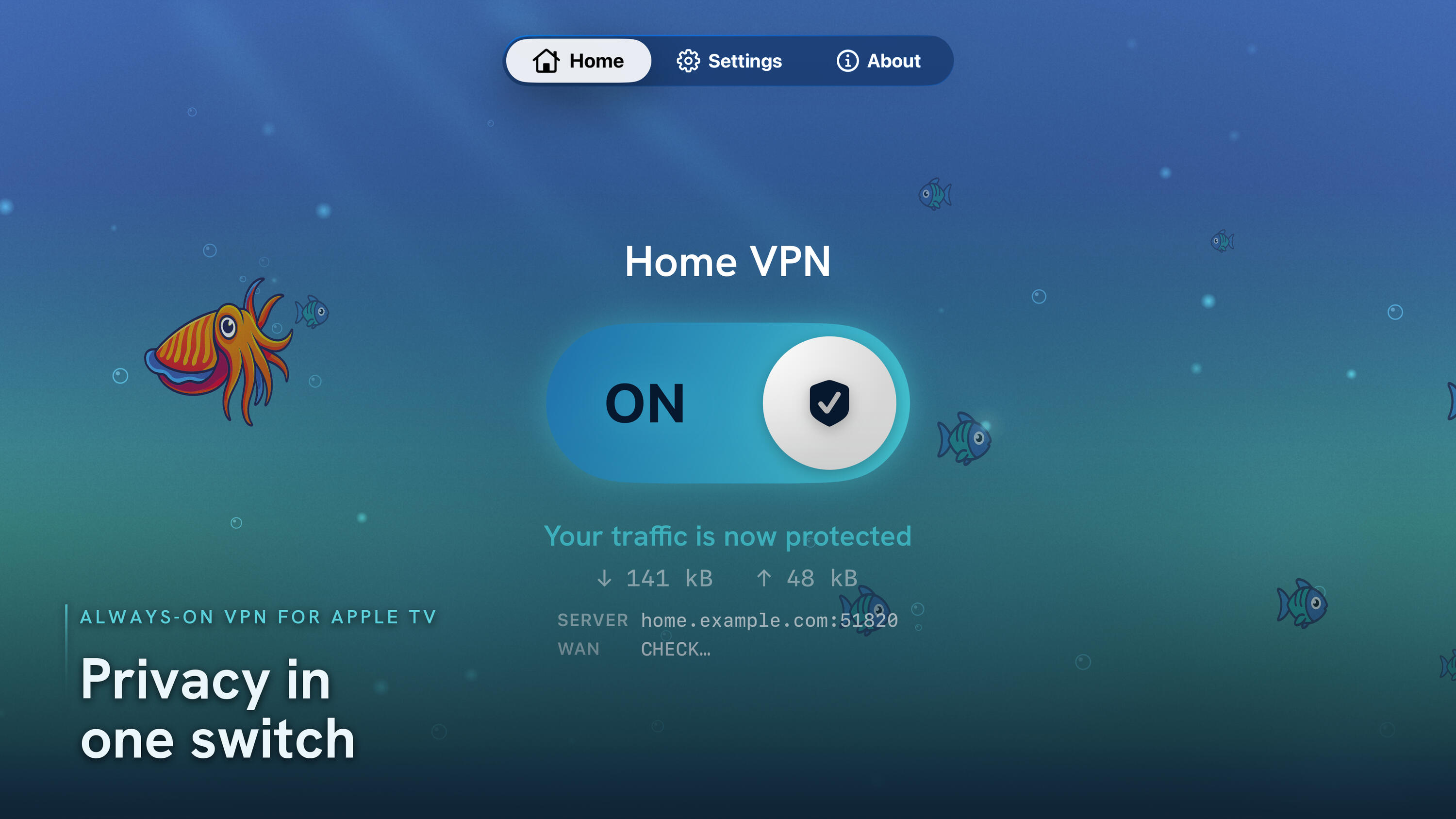
One switch, that's it
No menus to dig through
The Home screen is a single switch. ON starts the tunnel for the whole device — even after you close the app and open another. A live status line shows handshake, throughput, and uptime, so you always know your traffic is protected.
Multiple servers
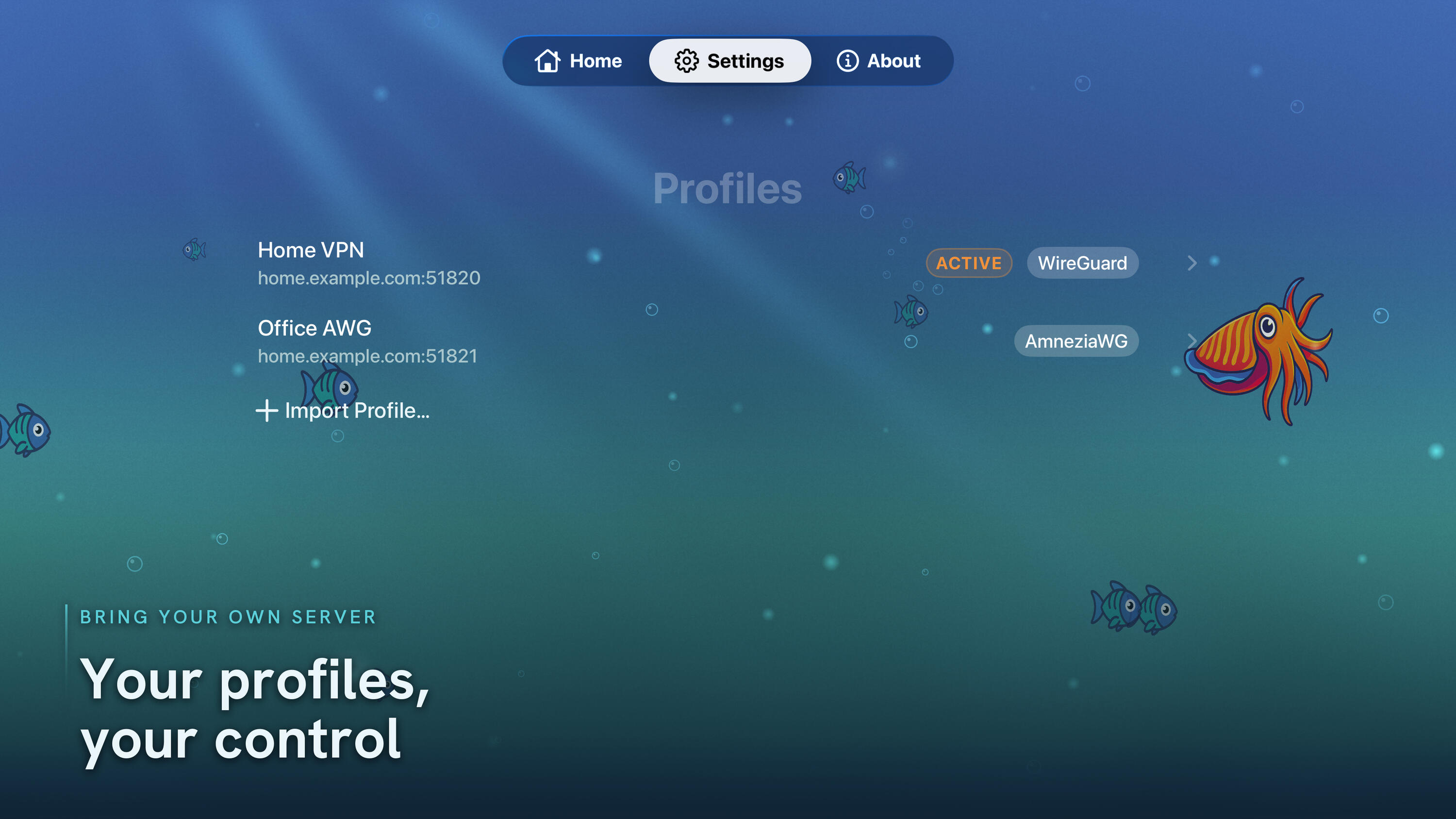
Many profiles, one in control
Keep every server you use in one place — home, office, a friend's box. Each profile is its own entry in tvOS Settings, but only one is active at a time. Switch the active profile while connected and Cuttlefish migrates the tunnel for you. WireGuard and AmneziaWG profiles live side by side.
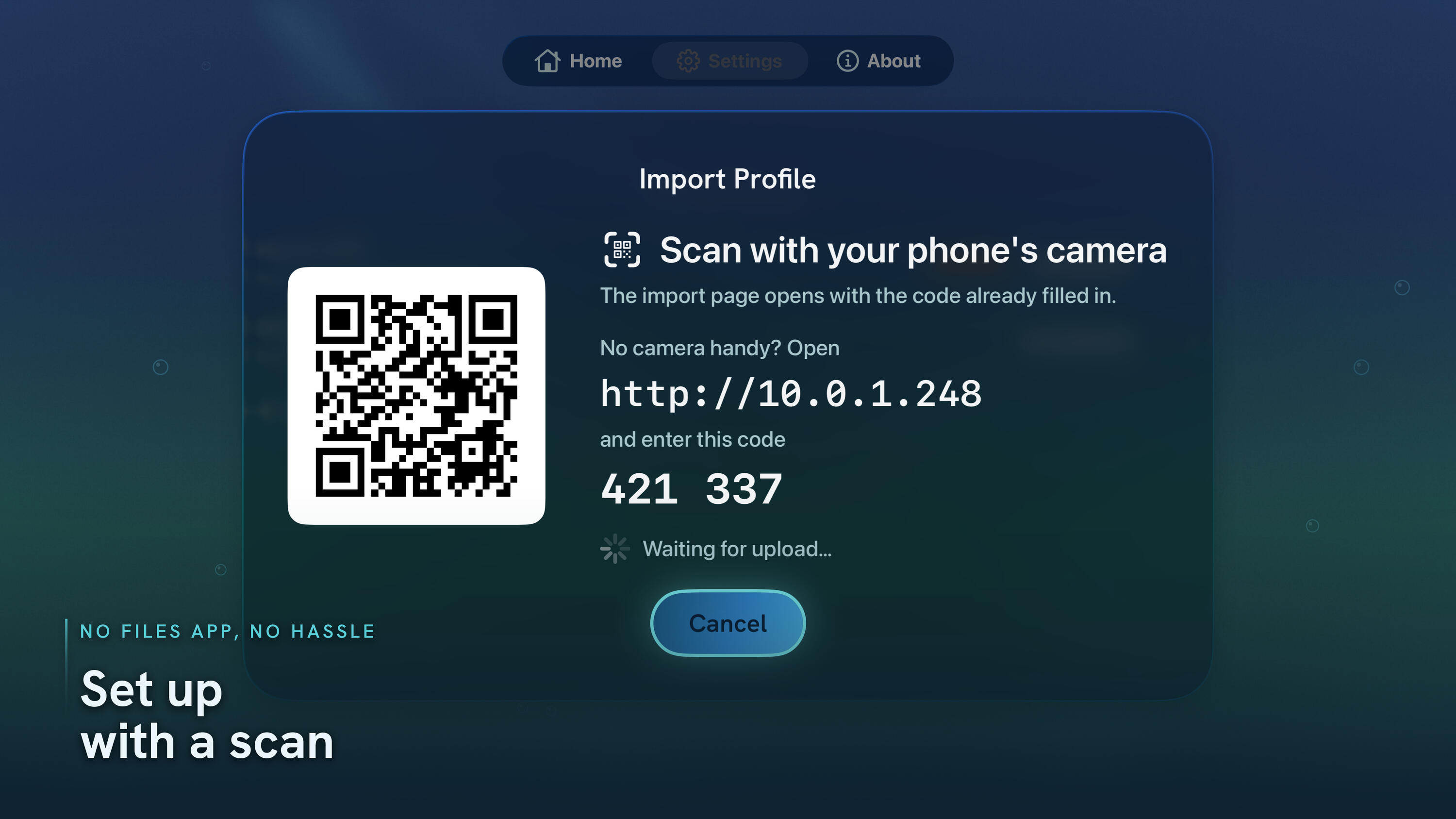
No Files app. No hassle.
Scan, paste, connected
Apple TV has no Files app, no camera, no AirDrop — so importing a config usually means pain. Cuttlefish runs a tiny server on your network and shows a QR code and a 6-digit code on the TV. Scan it with your phone, paste or upload your .conf in the browser, done. The server is LAN-only, code-protected, and shuts off the moment you leave the screen.
No subscription. Ever.
$0
free — no account, no tracking
© 2026 Cuttlefish - Privacy Policy
Privacy Policy — Cuttlefish for Apple TV
Effective date: 25 June 2026
Last updated: 25 June 2026Cuttlefish is a WireGuard®- and AmneziaWG-compatible VPN client for Apple TV. This policy explains exactly what the app does and does not do with your information. In short: Cuttlefish collects no personal data, runs no servers of its own, and never transmits your VPN profiles, keys, or traffic to us or to any third party.
Who we are
Cuttlefish is published by Foobar-IT. If you have questions about this policy, contact us at [email protected].
The short version
- We do not collect, store, transmit, sell, or share any personal data.
- We have no analytics, no advertising, no tracking, and no third-party SDKs that gather data.
- We operate no servers. Cuttlefish connects only to the VPN server you configure and control.
- Your VPN profiles and private keys stay on your Apple TV and never leave it through the app.
What data the app handles, and where it stays
VPN configuration profiles (.conf files) you import.
When you import a profile, Cuttlefish parses it on-device. Private keys and pre-shared keys are stored in the device Keychain; the remaining settings are stored in the operating system's VPN configuration so the tunnel can run. This information never leaves your Apple TV by way of the app, is not
sent to us, and is not shared with any third party. Deleting a profile removes it from the device.Your VPN traffic.
When the tunnel is on, your network traffic is encrypted on the device and sent to the VPN server you chose. Cuttlefish does not inspect, log, store, or route your traffic through any infrastructure of ours — we have none. What your chosen VPN server does with your traffic is governed by that server operator's own policy, not this one.Connection statistics (on-device only).
While connected, the app shows live status such as connection time and bytes sent/received. These numbers are read from the active tunnel, displayed on screen, and are not recorded or transmitted off the device.
Network connections the app makes
Cuttlefish makes only two kinds of outbound network activity, both described here in full:1. The VPN tunnel itself — to the VPN server you configured. This is the app's core function and happens only when you turn the tunnel on.2. An optional public-IP check. The Home screen's connection console has a tap-to-reveal WAN (public IP) control. Only when you tap it, the app makes a single request to the third-party service api.ipify.org to retrieve the public IP address your connection currently presents. This is used solely to display that address to you so you can confirm the VPN is working. The app sends no identifying information in this request beyond what any network request inherently includes, and the result is not stored. If you never tap the control, this request never happens. ipify's handling of requests is governed by its own privacy policy.
Importing profiles over your local network
To let you move a .conf file onto a device that has no Files app, camera, or keyboard, Cuttlefish can run a temporary web importer: a small web server that runs only while the Import screen is open, is reachable only on your local network, and requires a one-time code shown on the TV. It shuts down as soon as you leave the Import screen. Files you upload through it are processed on-device exactly as described above and are never sent to us.
Data we do not collect
We do not collect or process: your name, email, account credentials, advertising identifiers, device identifiers for tracking, location, browsing history, contacts, or analytics/usage telemetry. Cuttlefish has no user accounts and requires no sign-in.
Children's privacy
Cuttlefish does not collect personal data from anyone, including children.
Changes to this policy
If this policy changes, we will update the "Last updated" date above and post the revised version at the same URL where you found this one.
Contact
Questions or concerns: [email protected].
WireGuard is a registered trademark of Jason A. Donenfeld. Cuttlefish is an independent app and is not sponsored by or affiliated with the WireGuard or AmneziaWG projects.